

Product Description
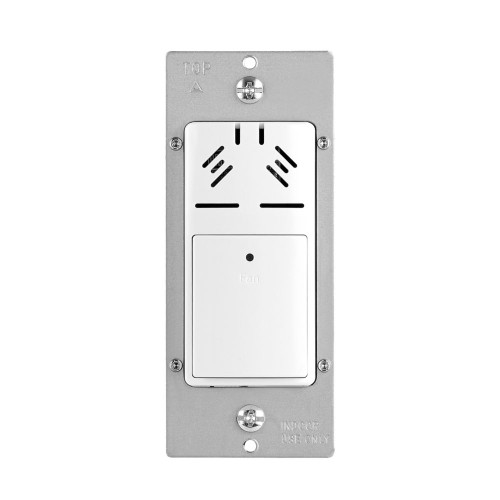
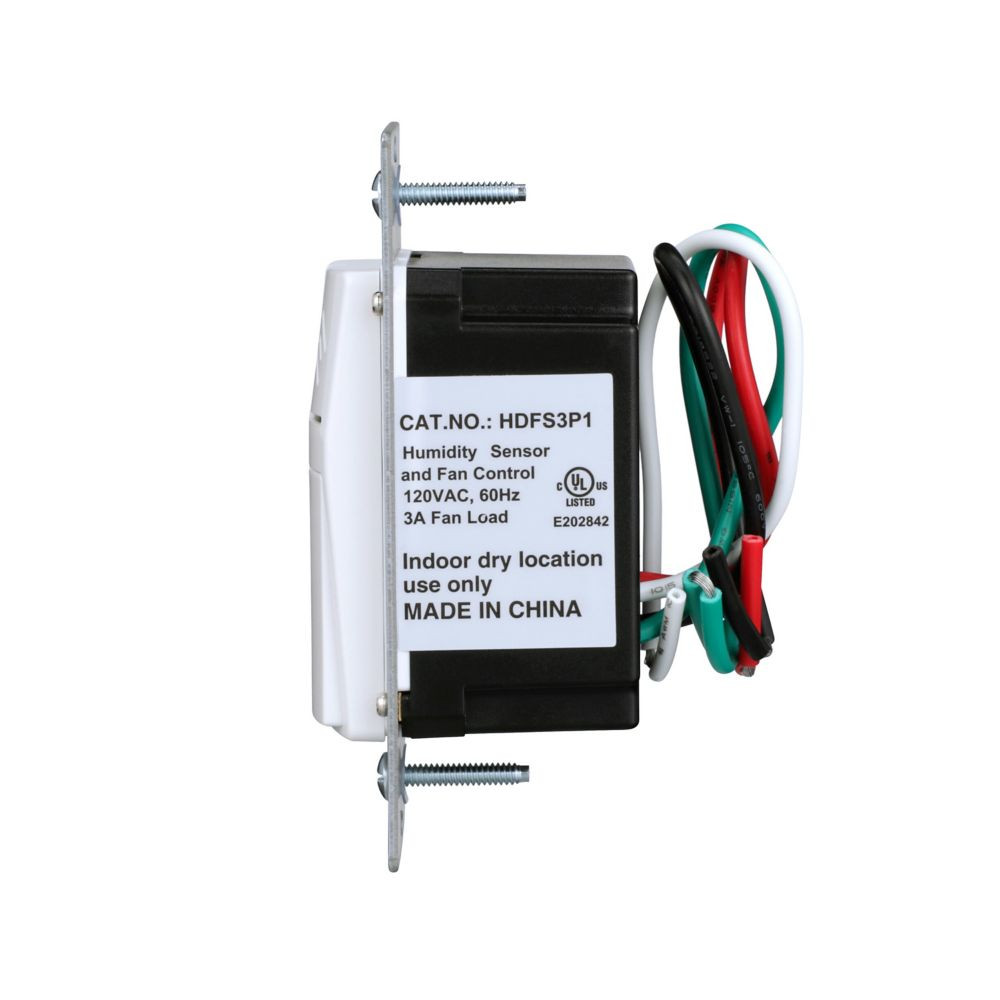
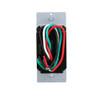
HDFS3P1-W-L Humidity Sensor and Fan Control, 15A, Flush Mount, 120V, 1/4HP, Single Pole, White by Eaton is an automatic humidity-sensing wall control designed to manage ventilation fans in moisture-prone areas. It helps reduce excess humidity, prevent mold and mildew, and conserve energy by turning the fan on and off based on preset humidity levels, with manual override for immediate ventilation.
Quick Specs
- Rating: 15A, 120V AC, 60Hz
- Maximum Fan Load: 3A / 1/4 HP
- Control Type: Single pole
- Humidity Range: 45%–80% RH
- Humidity Settings: High (80%), Medium (65%), Low (45%)
- Fan Time Delay: 20 minutes
- Mounting: Flush mount
- Color: White
- Compliance: UL/cUL Listed
Free shipping on orders over $250
Product Benefits
- Automatic moisture control: Turns the ventilation fan on when excess humidity is detected and off when levels return to normal.
- Helps prevent mold and mildew: Actively manages moisture in damp environments like bathrooms and laundry rooms.
- Energy-efficient operation: Runs the fan only when needed, reducing unnecessary runtime.
- Manual override capability: Allows immediate fan operation for spot ventilation.
Key Features
- Humidity-based automation: Auto ON / Auto OFF operation based on preset humidity level
- Manual fan mode: Manual ON with automatic OFF after delay
- Adjustable humidity levels: High (80% RH), Medium (65% RH), Low (45% RH)
- Time delay: 20-minute fan run-on after manual activation
- Single pole design: Replaces a standard single pole wall switch
- Neutral wire required: Ensures reliable electronic operation
- LED indicator: Bi-color LED for status and programming feedback
Specifications
Technical
| Input Voltage | 120V AC, 60Hz |
| Current Rating | 15A |
| Maximum Fan Load | 3A |
| Motor Rating | 1/4 HP |
Performance
| Humidity Range | 45%–80% RH |
| Humidity Settings | High (80%), Medium (65%), Low (45%) |
| Fan Delay | 20 minutes |
Physical & Compliance
| Mounting | Flush mount |
| Color | White |
| Wiring | Single pole, neutral required |
| Listings | UL/cUL Listed |
| Warranty | 2-Year Limited Warranty |
Applications
- Bathrooms: Automatically control exhaust fans to manage steam and moisture.
- Laundry rooms: Reduce humidity buildup from washers and dryers.
- Basements: Help maintain healthier humidity levels.
- Home spas: Prevent condensation and moisture damage.
- Residential ventilation: Ideal where automatic fan control is desired.
Installation Tips
- Power off first: Turn off circuit breaker before installation.
- Neutral required: Ensure a neutral wire is present in the wall box.
- Use copper wire only: Follow electrical code requirements.
- Set humidity level: Program High, Medium, or Low humidity based on room conditions.
- Allow sensor delay: Expect up to a 3-minute delay before automatic activation when humidity rises.
FAQ
How does this humidity sensor control the fan?
The device automatically turns the fan on when the preset humidity level is exceeded and turns it off once humidity drops below the set level.
What humidity levels can be selected?
You can choose between High (80% RH), Medium (65% RH), or Low (45% RH). Medium is the default setting.
Can I turn the fan on manually?
Yes. Manual ON is supported, and the fan will automatically turn off after a 20-minute delay.
Does this replace a standard wall switch?
Yes. It is designed to replace a single pole wall switch.
Is a neutral wire required?
Yes. A neutral wire is required for proper operation.
What size fan motor can it control?
The control supports fans up to 3A or 1/4 HP.
Where is this control commonly used?
It is commonly installed in bathrooms, basements, laundry rooms, and home spas.